QCS Introduction
QCS has its own application to install itself called QCSSetup. When you download this application from rms.usace.army.mil/qcs or rmssupport.helpserve.com it will contain 8 numbers following it which denote the version of QCS that QCSSetup will install. Each version of QCS has its set of numbers that represent the version. You can see what version of QCS you are running when you start QCS and see the Login window open as shown below:
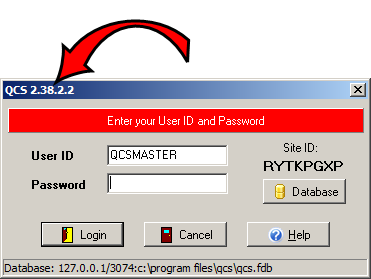
Figure 1: You can see the version of QCS you are running when QCS starts up by looking at the Caption in the upper left corner of the login dialog as shown above.
In this example, the version of QCS is 2.38.2.2.